Wedge80
A downloadable tool
Wedge80 a C128 BASIC extension for VDC graphics
Copyright (c) 2026 Graham (Francesco Gramignani)
Version 2.04
Revision 9/5/2026
https://graham-it.itch.io
https://github.com/graham-it
https://csdb.dk/scener/?id=40810
Wedge80 is a program that extends the Commodore 128's BASIC 7.0 to take advantage of the graphics capabilities offered by the MOS 8563 VDC (Video Display Controller) chip, which is normally used only in 80-column text mode.
Wedge80 is compatible with the PAL versions of the C128/C128D, equipped with 16k or 64k bytes of video RAM dedicated to the VDC chip, and with the official BASIC 7.0 ROM revisions released by Commodore (1985/1986).
Extended BASIC
To access the VDC chip's graphics capabilities, Wedge80 uses the same instruction set as BASIC 7.0, extending the number and range of supported parameters. Thus, Wedge80 can handle both VDC and VIC-II graphics, ensuring full compatibility with existing software.
Extended commands:
| GRAPHIC | Selects the current screen mode |
| COLOR | Sets a color for the selected source |
| SCNCLR | Clears the selected screen mode |
| LOCATE | Places the pixel cursor to a specified position |
| DRAW | Draws dots, lines, and shapes |
| BOX | Draws a BOX on the screen |
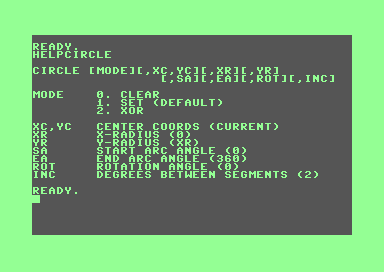
| CIRCLE | Draws circles, ellipses or arcs |
| PAINT | Fills an area starting from a specified position |
| SSHAPE | Saves an area of the the screen into a BASIC string variable |
| GSHAPE | Draws a shape stored in a BASIC string variable |
| CHAR | Displays a string of characters on current bitmap/text screen |
| AUTOFAST | Enables the AUTOFAST mode (FAST/SLOW to disable) |
| HELP | Displays system status or Online Gude |
| QUIT | Returns to BASIC 7.0 |
Extended functions:
| RGR | Returns the value of the current screen mode |
| RCLR | Returns the value of the color source specified |
| RDOT | Returns the current bitmap coordinates or pixel status |
| RWINDOW | Returns dimension information about the current screen or window |
| POS | Returns the cursor position within the current text screen window |
Installation
Wedge80 is available in two versions:
- WEDGE80 full version
- WEDGE80LT light version (without the 'Online Guide')
To install Wedge80, after inserting the disk containing the program, simply load and run one of the two versions with the following commands:
- DLOAD "file name" (equivalent to LOAD "file name",8)
- RUN
or:
- RUN "file name" (loads and runs)
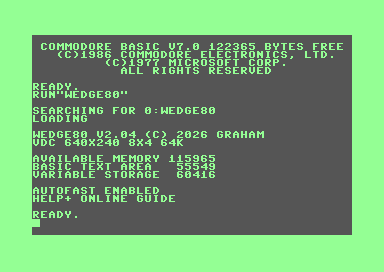
During installation, the amount of memory available on the VDC chip (16k or 64k bytes) is automatically detected to adapt the program to the machine in use.
Getting Started
Wedge80 offers 144 theoretical combinations for configuring bitmap graphics using the VDC chip, allowing you to separately select the horizontal and vertical resolutions (up to 840 x 256 pixels) and the size of the color cells (down to 8x2 pixels).
VDC graphics can be activated using the command:
- GRAPHIC mode[,clear][,h/res][,v/res][,color]
| mode | Graphics mode |
| 0 | VIC-II 40-column text |
| 1 | VIC-II bitmap (320 x 200) |
| 2 | VIC-II split screen bitmap |
| 3 | VIC-II multicolor bitmap (160 x 200) |
| 4 | VIC-II split screen multicolor bitmap |
| 5 | VDC 80-column text |
| 6 | VDC bitmap |
| clear | Clear flag |
| 0 | Do not clear (defalut) |
| 1 | Clear screen (and reset coords) |
| h/res | Horizontal mode | v/res | Vertical mode |
| 0 | 320 pixels | 0 | 128 pixels |
| 1 | 360 pixels | 1 | 144 pixels |
| 2 | 640 pixels | 2 | 176 pixels |
| 3 | 720 pixels | 3 | 200 pixels |
| 4 | 800 pixels | 4 | 240 pixels |
| 5 | 840 pixels | 5 | 256 pixels |
| color | Color mode (cell size) |
| 0 | Monochrome |
| 1 | 8x8 pixels |
| 2 | 8x4 pixels |
| 3 | 8x2 pixels |
Once the VDC bitmap mode is activated, you can use the following command to draw a point or line on the screen:
- DRAW [mode][,x0,y0][<TO|,> xn,yn][...]
| mode | Drawing method |
| 0 | Clear pixels |
| 1 | Draw pixels (default) |
| 2 | XOR with the pixels already on the screen |
More details on Wedge80 extended commands and functions are available in the docs files included.
Online Guide
The full version of Wedge80 comes with an 'Online Guide', which is installed in the upper part of the RAM block 1, normally used for storing BASIC variables.
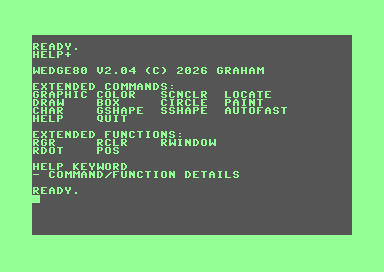
To view the complete list of Wedge80 commands and extended functions, simply enter the following command at the BASIC prompt:
- HELP +
Additionally, you can get detailed information about a specific command or function using the following syntax:
- HELP keyword
Where 'keyword' is the word used to identify the command or function you're requesting information about.
AUTOFAST Mode
When Wedge80 is started, AUTOFAST mode is enabled by default. This allows extended Wedge80 commands to be executed in FAST mode (2 MHz), then automatically reverts to SLOW mode (1 MHz) upon completion.
- AUTOFAST (enables AUTOFAST mode)
- FAST/SLOW (restore standard modes)
ESCAPE Sequences
The 'ESC X' sequence allows you to quickly switch between 40-column and 80-column text mode. When the 'ESC X' sequence is detected and the VDC is in bitmap mode, the 80-column text mode is automatically restored, transparently to the user.
Wedge80 Library
Once installed, Wedge80 offers a function library that allows you to use some of its graphics routines directly from a machine language program (like the Sketch80 demo).
This is done via a Jump Table, which ensures compatibility with any programs developed with this library, even if an updated version of Wedge80 is released.
Included Demos
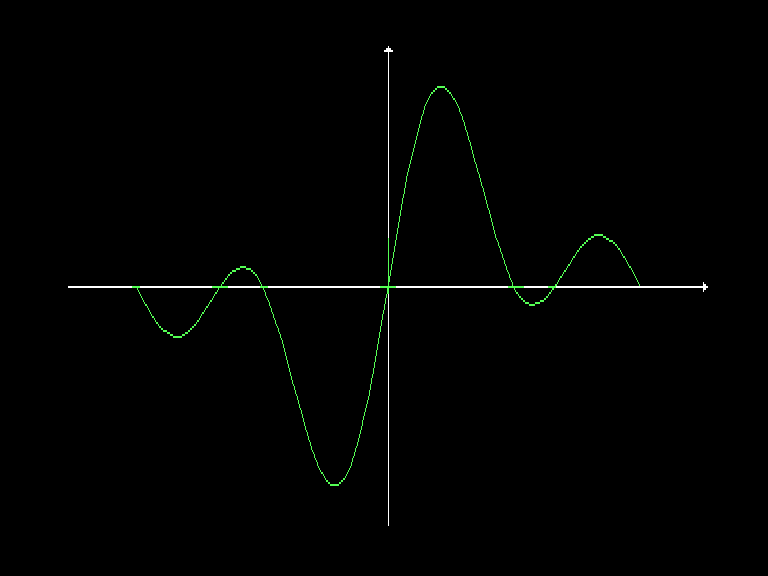
| EASY GRAPH | Plots a user-defined mathematical function |
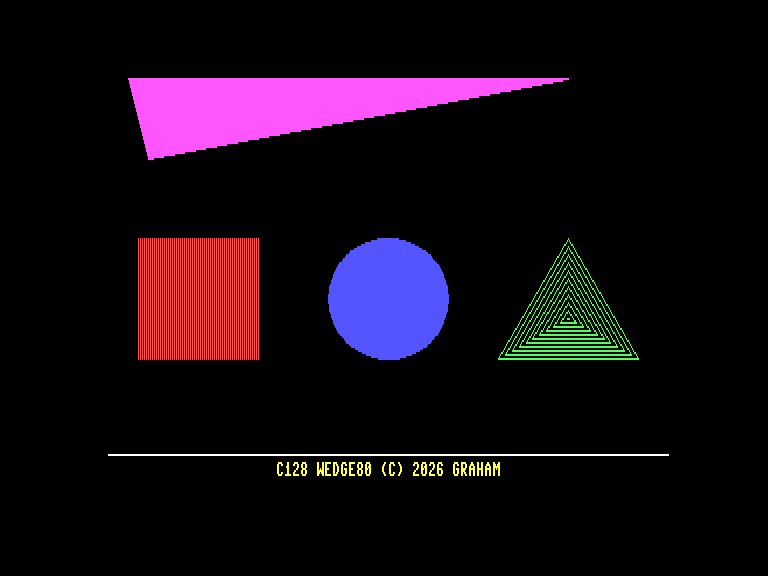
| GRAPHIC SAMPLE | Draws some geometric shapes |
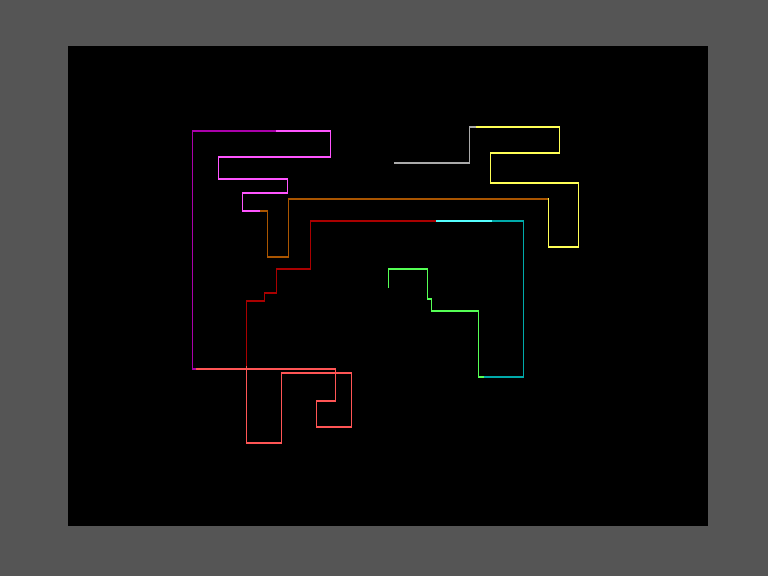
| MARBLE | Demonstrates the use of the CIRCLE command |
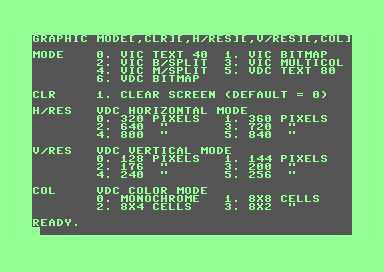
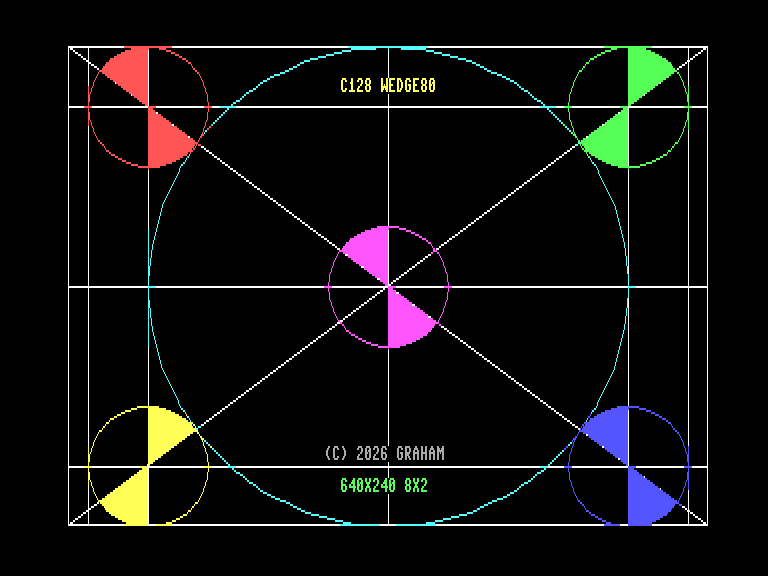
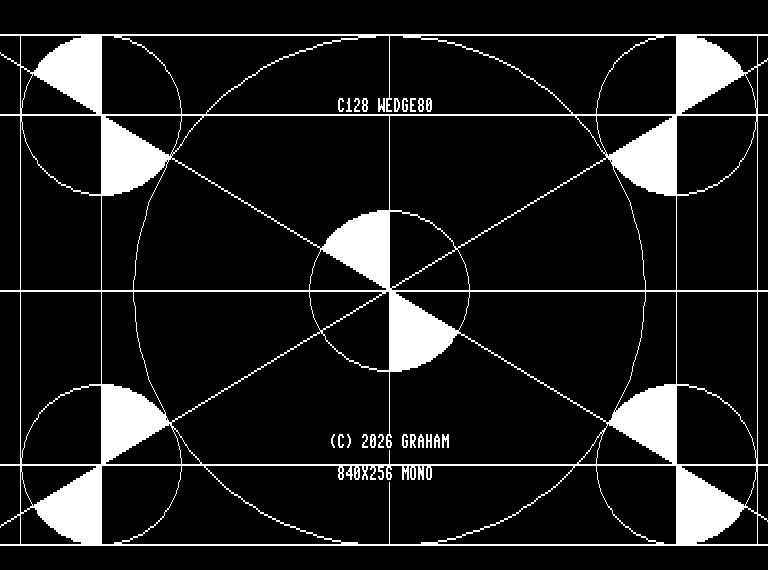
| MONOSCOPE | Tests the various graphics modes of the VDC |
| QIX | Runs a simple animation in color or monochrome mode |
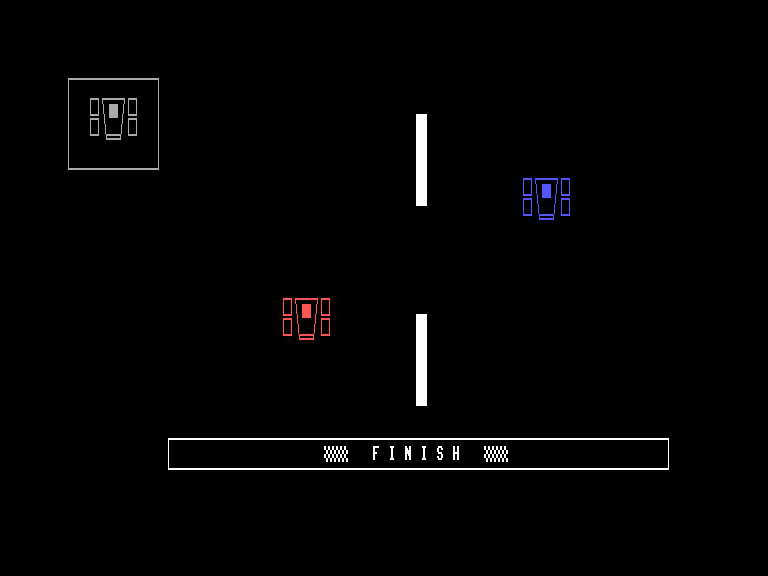
| RACING CARS | Demonstrates the use of the SSHAPE/GSHAPE commands |
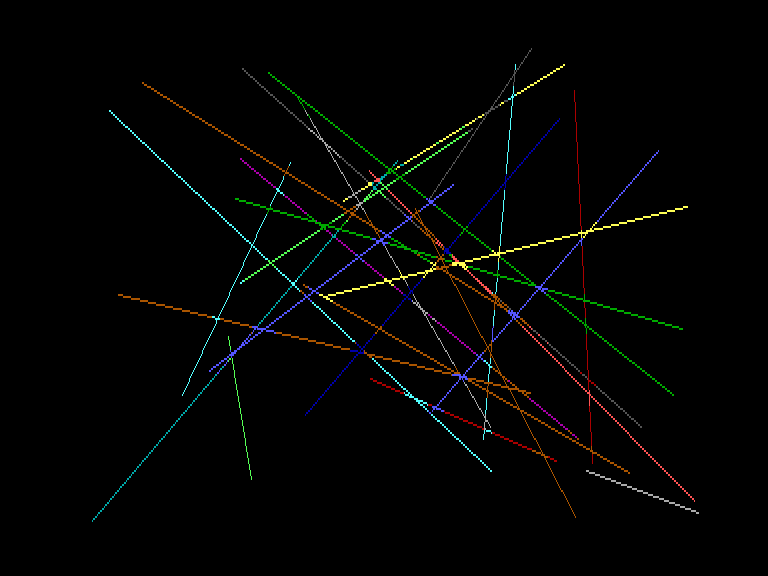
| SCREEN SAVER | Shows 3 types of user-configurable screen savers |
| SKETCH80 | An example written in ASM that uses the Wedge80 Library |
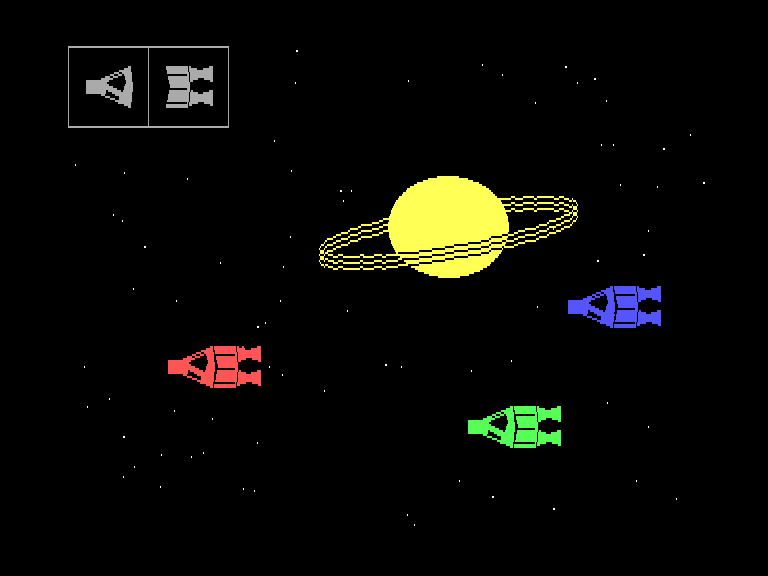
| SPACESHIP | A scene made by combining multiple modules |
Wedge80 v2.04 (c) 2026 Graham
https://graham-it.itch.io
https://github.com/graham-it
https://csdb.dk/scener/?id=40810
Download
Development log
- Wedge80 for C128 VDC Graphics70 days ago
- C128 Wedge80 v1.12 releasedJan 29, 2026



Comments
Log in with itch.io to leave a comment.
Here is an ENGLISH TRANSLATION of V 1.11 by Google Gemini;
Wedge80
A C128 BASIC extension for VDC graphics Copyright (c) 2026 Graham (Francesco Gramignani)
Version 1.11 Revision 15/1/2026
Introduction
Wedge80 is a program that allows for the creation and display of high-resolution graphic images via the VDC (Video Display Controller, MOS 8563) video interface of the Commodore 128.
This project was born from a desire to study the inner workings of Pangea Basic (
The name "Wedge80" refers to the fact that this program uses a technique called "wedging," which allows for adding new instructions to the BASIC interpreter or modifying its behavior. While the C128's BASIC 7.0 includes a set of dedicated graphics instructions, they are designed for 40-column mode (managed by the VIC-II chip) and do not support the graphic capabilities of the VDC chip, which is normally used only for 80-column text mode.
Wedge80 does not add entirely new keywords to C128 BASIC 7.0; instead, it extends existing instructions to work with the VDC chip's bitmap mode. It maintains the original syntax and ensures full compatibility with existing software. These instructions consist of commands and functions that can be used by the user in both direct and program modes.
Installation
To install Wedge80, simply run the "BOOT" program provided in the .d64 image file. On the VICE emulator, this can be done by dragging the disk image into the program window.
Alternatively, you can load and run the machine language code directly with the command:
BOOT "WEDGE80"On early versions of the C128, a bug in the KERNAL prevents the
BOOTcommand from working correctly. In those cases, use the following commands:BLOAD "WEDGE80"SYS 4864Or:
LOAD "WEDGE80",8,1NEW(Necessary!)SYS 4864During installation, a portion of the native BASIC 7.0 graphics routines is copied into RAM and "patched" to adapt them to the VDC chip's bitmap graphics.
The RAM area hosting the new routines includes:
[$0b00-$0bff][$0c00-$0cff][$0d00-$0dff]The RAM dedicated to sprites remains available:
[$0e00-$0fff]These patches are necessary because the VDC has its own dedicated RAM, separate from the C128's main memory, and must be accessed via specific registers. Furthermore, VDC bitmap memory is organized differently than the VIC-II (where cells are 8x8 pixels); in the VDC, cells are arranged linearly across the screen and continue onto the next line.
Usage
Once installed, the program displays a welcome message to signal that the system is ready. The HELP command (accessible via the Help key on the C128 keyboard, or the "End" key in VICE) retains its original function but also displays the status of Wedge80 and the AUTOFAST function (explained below).
Wedge80 can be deactivated with the QUIT command (which normally returns an 'UNIMPLEMENTED COMMAND' error in standard BASIC 7.0) without losing any BASIC program currently in memory. It can be reactivated at any time with
SYS 4864, provided the memory where the main Wedge80 routines reside (Application Program Area:$1300-$1bff) has not been erased or overwritten.With Wedge80 installed, traditional VIC-II graphics and extended VDC graphics can be used simultaneously. Graphics commands and functions are applied to the last graphics mode selected via the GRAPHIC command (Shortcut: F1):
Modes 2 and 4 are similar to 1 and 2 but with "split screen" enabled (not available on VDC). To clear the screen, append
,1to the commands above, or use SCNCLR (Shortcut: F4), though the latter does not change the current graphic mode.To draw a line, use the DRAW command, which uses the Bresenham algorithm:
DRAW [mode] [,x0,y0] [TO x1,y1] [...]On the VDC screen, the
modeoption (which replaces the "source" parameter on the VIC-II) indicates how pixels are drawn:Coordinates can be expressed relatively by prefixing them with
+or-, or by using polar notation (length and angle in degrees separated by a semicolon;).VDC bitmap mode can be deactivated as follows:
Note: Switching between VDC text and bitmap mode overwrites the contained information. This is because Wedge80 is designed for a standard C128 with only 16 KB of VDC RAM—just enough for a 640 x 200 2-color resolution. Future versions may support 64 KB VDC RAM or swap memory to preserve screen data.
Auto FAST Mode
By default, Wedge80 enables AUTOFAST mode. This allows Wedge80's extended commands to execute in FAST (2 MHz) mode and then automatically return to SLOW (1 MHz) mode once the operation is finished. This was added because in 2 MHz mode, the 40-column (VIC-II) screen is disabled; AUTOFAST ensures the user can use graphics commands easily while still having a functional 40-column text display when the command finishes.
AUTOFAST can be disabled by manually using the
FASTorSLOWcommands. It can be re-enabled with the commandAUTO FAST.ESCAPE Sequences
The C128 features screen editor functions accessible via the ESC key followed by another key. Notably, ESC X toggles between 40 and 80-column modes. Wedge80 includes a specific wedge to monitor when ESC X is called while the VDC is in bitmap mode.
Extended BASIC
The following commands are extended in Wedge80:
GRAPHIC,SCNCLR,COLOR,DRAW,BOX,CIRCLE,PAINT,CHAR,SSHAPE,GSHAPE,LOCATE,AUTO,FAST,SLOW,HELP,QUIT.The following functions are extended:
RCLR(n),RDOT(n),RGR(n),POS(n).BASIC Commands (Summary)
(Note: Most of the technical syntax for GRAPHIC, SCNCLR, COLOR, DRAW, BOX, CIRCLE, PAINT, CHAR, SSHAPE, GSHAPE, LOCATE, etc., was already provided in English in your source text and remains unchanged.)
Key Additions/Changes for VDC:
Wedge80 Library (Machine Language)
Wedge80 provides a library of functions accessible via a Jump Table starting at
$1300. This ensures that programs developed using these routines remain compatible even if the main program is updated.(The Jump Table provided in your text is already in a technical format suitable for English documentation.)
Demos and Sketch80
Several BASIC demos are included:
Sketch80 is a special demo written in assembly that uses the Wedge80 library. It allows you to draw using the C128 cursor keys.
Controls:
Happy drawing! Graham
Thanks again! As you can see, the project is constantly evolving...
I am very impressed what you are doing so far, would be nice if you also could implement support for 64kb VDC and option for more (custum ?) resulutions. Keep it going on.
This is one of my goals, thanks for the appreciation!
Here is an ENGLISH TRANSLATION of the Instructions (done by Gemini AI):
Introduction
Wedge80 is a program that allows you to create and view high-resolution graphic images using the VDC (Video Display Controller, MOS 8563) video interface of the Commodore C128. The name refers to the fact that this program utilizes a technique called a 'wedge', which allows the user to interact with it through the BASIC command interpreter. These commands can be entered in both direct mode and program mode and use the same instruction set as the BASIC V7 language, ensuring compatibility with existing software.
Installation
Wedge80 consists of a single file, which can be installed into the C128's memory in the following ways:
Additionally, the provided .d64 image includes a 'BOOT' file, which allows you to start Wedge80 on the VICE emulator simply by dragging the disk image into the program window. During installation, some BASIC V7 graphic routines are copied into RAM and 'patched' so they can be applied to the bitmap graphics of the VDC chip, which has a different memory organization than the VIC-II.
Basic Usage
Once installed, the program prints a welcome message to inform the user that the system is ready for use. The 'HELP' command (accessible via the dedicated key on the C128 keyboard), while maintaining its original function, allows you to check if Wedge80 is active and view its version number. On the VICE 3.9 emulator, the 'HELP' key corresponds to the 'End' key, while in previous versions, it corresponds to the 'F5' key on the PC.
Wedge80 can be deactivated with the 'QUIT' command (which normally returns the 'unimplemented command' error message) without losing any BASIC program currently in memory. Furthermore, it can be reactivated at any time with the 'SYS 4864' command, provided that the user memory ($1300-$1bff) has not been cleared or overwritten.
With Wedge80 installed, traditional VIC-II graphics and extended VDC graphics can be used simultaneously. In fact, graphic commands are applied to the last graphic mode used, which is selected as follows:
The GRAPHIC command can be quickly called from the keyboard using the 'F1' key. To clear the screen, simply add the option '1' to the GRAPHIC command, or use the SCNCLR command (corresponding to the 'F4' key).
To draw a line on the screen, use the DRAW command, which in BASIC V7 is based on the Bresenham algorithm: DRAW mode, x0, y0 TO x1, y1
The 'mode' option, which replaces 'source' (the color source in the classic version), indicates how pixels should be drawn on the VDC screen:
The coordinates represent the starting and ending points of the line. Initial coordinates can be omitted to continue from the last point drawn. For more details on the commands affected by Wedge80, see the "BASIC commands" section below.
Auto FAST mode
When Wedge80 is started, the 'autofast' function is enabled. This allows Wedge80's extended commands to execute in FAST mode (2 MHz) and then automatically return to SLOW mode (1 MHz) once the operation is finished. This function was added for user convenience, as in FAST mode, the 40-column screen (VIC-II) is disabled, and the latter is the only active text screen while the 80-column output (VDC) is in graphic mode. The 'autofast' function works in both direct and program modes and can be deactivated by 'forcing' the processor speed with the standard 'FAST' and 'SLOW' commands. To reactivate the 'autofast' function, enter the command 'FAST AUTO' (with or without a space between the two keywords).
ESC sequences
The Commodore 128 offers various functions accessible directly from the keyboard via ESCAPE sequences (the ESC key on VICE 3.9 corresponds to the 'F9' key on the PC). Among these, the 'ESC X' sequence allows you to quickly switch between 40-column and 80-column text modes (and vice versa). This necessitated an additional 'wedge' to monitor when the 'ESC X' sequence is called while the VDC is in bitmap mode.
Note that every time you switch from 80-column text mode to VDC bitmap mode (and vice versa), the information contained within is overwritten. This choice was made because Wedge80 was designed for use on a standard C128 (not C128 DCR), which has only 16 KB of dedicated VDC video RAM—just enough to represent a 640 x 200 pixel resolution with 2 colors. Nothing prevents expanding the memory manageable by Wedge80 to 64 KB in the future, or allocating swap memory in the C128's main RAM to avoid losing information (text or bitmap) whenever the mode is changed.
Extended BASIC
The commands whose functionalities are extended by Wedge80 are:
The affected functions are:
Thanks for the translation, the description I posted was just a draft...
very nice idea, thank you.
Thank you for your interest!